

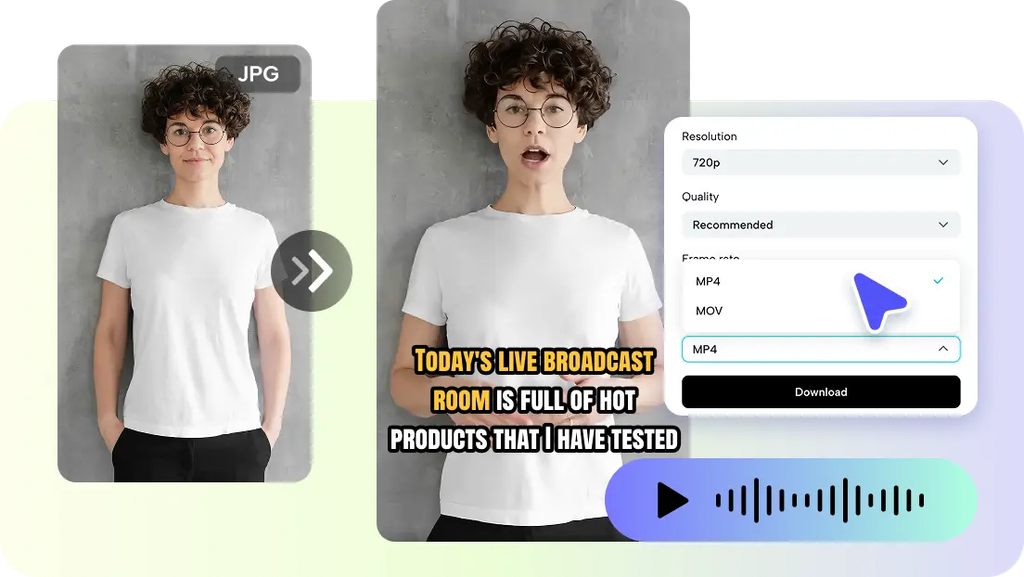
Facial expressions impact the interpretation of an avatar’s verbal message. Narration can be made clearer, warmer, or more authoritative by small changes. Pippit offers a blend of expression controls, scripts, voices, framing, captioning, and editing. This more general method can be used to provide presentations that support the narration with visual delivery. It’s really as easy as that: use all visual elements to deliver the message.
Why Facial Expressions Matter in AI Avatar Communication
The movement of the face can help to emphasize the emotional message of verbal information. A neutral face may be used to convey important facts or explanations. A more positive tone can help energize promotional messages without altering the script. When the topic is something that should be carefully regarded, the AI avatar should also not make dramatic movements. Intensity of expression is important, as too much can distract from the important information. When viewers must concentrate on facts, subtle changes are often better. Pippit is used to link presentation options and narration for easier communication between various purposes of video.
Understand the Main Areas of AI Avatar Customization
Pippit offers multiple areas for customization, influencing the full presenter experience. The selection of appearance options affects the visual image of the presenter and their appropriateness for the topic. Factors such as age, gender, industry, scene, pose, outfit style, and figure can be taken into consideration for the selection of a presenter. The choice of voice can impact the sound of the narration and serve various communication objectives. Scripts direct the information provided, and captions facilitate following spoken information. The framing is also important, as there are full-body, half-body, and close-ups views which are useful for different presentation requirements. The talking photo is different because it starts with a still picture and then moves the face. Pippit’s avatars can be used for themes, campaigns, tutorials, and business communication. These elements combine to create facial expressions that are an integral part of the visual identity of the video.
Match Expressions with Different Content Tones
Language selections should be related to the intent, topic, and tempo of the talk. In formal instruction, the use of facial expressions is typically limited, and the visual appearance is controlled. Key information should be expressed in a subtle manner, so that viewers do not lose interest. When the narration has excitement or urgency, the delivery can be more energetic for promotion videos. Expressions should be accessible, yet not intrusive, in tutorials and in educational explanations. The progression of changes in expression should be in accordance with the sense of each expression and not arbitrary. Pippit can be used to make variations, but still maintain the selected presenter, voice, captions, and framing. Stable connection of expression and narration, so that the expression is more understandable.
Steps to Customize Every Detail Using AI Avatar Facial Expression Controls
Step 1: Choose the Right Avatar and Style
- Sign up for Pippit using “Google”, “TikTok”, or “Facebook” account info.
- Open “More” on the left menu and access “Video generator”.
- Under “Popular tools”, select “Avatar video” to explore AI avatars.
- Match voice narration with avatars for dynamic, engaging content with customizable presenters.
Step 2: Set the Script, Language, and Style
- Review characters in “Recommended avatars” under “Choose avatar”.
- Filter by gender, age, industry, name, scene, pose, outfit style, or figure.
- Select an avatar and click “Edit script” to customize the dialogue.
- Add text in multiple languages and use accurate avatar lip sync.
- Scroll to “Change caption style” and choose a design that suits your video theme.
Step 3: Control Expressions and Polish the Video
- After applying lip sync, click “Edit more” to refine the talking avatar video.
- Adjust script timing, voice pacing, and facial expressions in the editor.
- Add text overlays and background music to enhance presentation.
- Click the “Export” tab in the top right when satisfied.
- Select “Publish” for TikTok, Instagram, or Facebook, or “Download” the video with your preferred format, frame rate, resolution, quality, and name.
Facial Expression Techniques for More Natural Presentations
Follow these simple tips to ensure a face that delivers a clear message and authenticity:
- Match the Message: Make facial expressions match the meaning and tone of each part.
- Steer clear of Overexpression: Movements should be done in an appropriate manner and not distract viewers visually.
- Use Timing: Align any expression changes with key statements, transitions, and points that need to be hit.
- Keep Consistency: Ensure the overall style of a presentation by the avatar is consistent between related videos.
- Think Framing: Choose framing that allows key movements of the face to be seen by the audience.
Combine Expressions with Voice and Script Pacing
Facial delivery should support the voice and not conflict with the tone. A soothing tone and very animated facial expression can be incongruous. Similarly, the facial expression may not match an animated voice, and the excitement of the narration can be dissipated. It is important to be able to identify and understand key changes in expression in concise scripts. Pacing should allow audiences enough time to process statements before significant changes in the visuals. Align expressions with important statements, transitions, demonstrations, and calls to attention. Captions provide an additional communication layer by providing additional information that is read aloud and provided on the screen. Pippit brings these together in an editing workflow, where presentation options complement each other.
Create a Recognizable Avatar Presentation Style
A familiar presentation style can help to create continuity between campaigns, tutorials, and educational series. Select consistencies for who will be presenting, how they will be framed, the captions they will use, the tone of their voice, and the intensity of their expression. Having the same avatar in the same videos can make it easy for viewers to identify related videos. But some topics may need more emphasis or pacing than others. Expressions can be customized for each subject, with the general visual identity staying consistent. Pippit’s customization features simplify the process of creating variations without having to rebuild all presentation elements. In this way, production time can be saved, and at the same time, the recognizable communication standards are maintained. Limit changes when multiple videos are used in a series of related content.
Conclusion
AI-generated presentations can be more purposeful and aligned visually with narration with the help of facial-expression controls. The intensity, timing, framing, voice, and pacing of the script are key factors in achieving effective results. Pippit is a tool that combines these features with the ability to choose an avatar, add captions, edit, and export. Expressions can be customized carefully so as to complement the message rather than distract. Each one can be more clear, more focused, and more appropriate for the audience, with thoughtful choices.
