

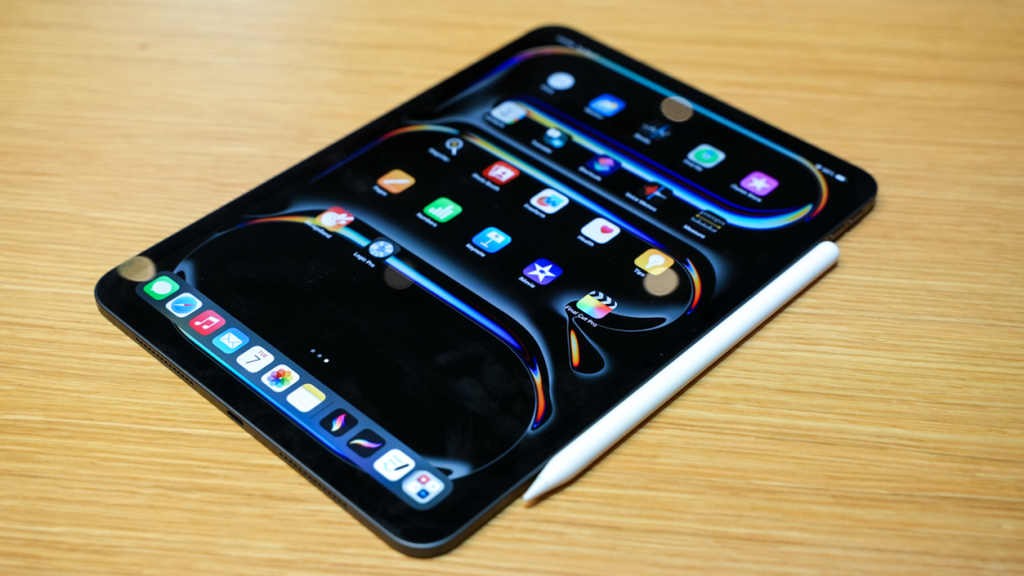
Choosing between the Apple iPad Air and iPad Pro isn’t about which one is better overall. It’s about matching the right tablet to your actual work. This guide breaks the iPad Air vs iPad Pro decision down by profession, so you can buy the model that genuinely fits how you work, not just the one with the biggest spec sheet.
iPad Air vs iPad Pro: Quick Overview
The current iPad Air runs Apple’s M4 chip, available in 11-inch and 13-inch sizes with a Liquid Retina LCD display at a standard 60Hz refresh rate. The Apple iPad Pro steps up to the M5 chip, paired with an Ultra Retina XDR tandem OLED display featuring ProMotion, which adapts refresh rates from 10Hz to 120Hz. The Pro also adds a dual rear camera system, Face ID, and considerably higher peak brightness for HDR content. Both support the Apple Pencil Pro and Magic Keyboard, but the experience differs meaningfully depending on your profession.
Display Differences That Matter for Creative Work
The iPad Pro’s Ultra Retina XDR display uses tandem OLED technology, delivering up to 1,000 nits of full-screen brightness and 1,600 nits peak brightness for HDR content, alongside true blacks and richer contrast. The iPad Air’s Liquid Retina display remains a bright, color-accurate LCD panel, but it caps out at 600 nits and lacks OLED’s contrast advantage. For photographers and video editors working with HDR footage or precise color grading, this gap is genuinely noticeable. For students, business users, and general productivity, the Apple iPad Air’s display remains sharp and perfectly usable.
Processing Power: M4 vs M5 Chip
The iPad Pro’s M5 chip includes a more powerful CPU and GPU architecture, dedicated Neural Accelerators, and considerably higher memory bandwidth than the Air’s M4. Both chips support hardware-accelerated ray tracing, but the Pro’s GPU handles graphics-intensive rendering, gaming, and AI-driven tasks with noticeably more headroom. For most everyday tasks, including document work, browsing, and moderate creative work, the M4 in the Apple iPad Air performs smoothly without hesitation.
iPad Air vs iPad Pro for Students
Most students don’t need the Apple iPad Pro’s extra processing power or OLED display for note-taking, research, and coursework. The iPad Air handles multitasking, streaming, and document editing comfortably, while costing meaningfully less than the Pro. Its support for the Apple Pencil Pro and Magic Keyboard covers handwritten notes and typed assignments equally well. Students in demanding programs involving video editing, 3D modeling, or heavy design coursework may benefit from the Pro’s extra performance, but for the majority of university students, the iPad Air offers the smarter value.
iPad Air vs iPad Pro for Graphic Designers and Digital Artists
Digital artists and graphic designers benefit meaningfully from the iPad Pro’s ProMotion display, since the adaptive refresh rate makes Apple Pencil strokes feel noticeably smoother and more responsive on screen. The OLED panel’s contrast and color accuracy also matter for detailed illustration and design work in apps like Procreate or Adobe Illustrator. The Apple iPad Air still supports the Apple Pencil Pro and handles these apps competently, making it a reasonable choice for hobbyist or semi-professional artists. For working designers whose income depends on precision and display fidelity, the Apple iPad Pro’s screen technology justifies the added cost.
iPad Air vs iPad Pro for Video Editors and Content Creators
Video editing workloads, especially 4K or multi-track projects in apps like Final Cut Pro, benefit directly from the Apple iPad Pro’s M5 chip and higher memory bandwidth. Its dual rear camera system also supports higher-quality native video capture for creators filming their own content. The iPad Air can handle lighter video editing and export tasks, but professional content creators working with demanding timelines and heavy color grading will notice the Pro’s performance advantage during export and playback.
iPad Air vs iPad Pro for Photographers
Photo editing in Lightroom or Photoshop benefits from the iPad Pro’s brighter, more color-accurate OLED display, particularly when judging HDR photos or fine tonal detail. The iPad Air remains genuinely capable for casual editing and portfolio review, but professional photographers relying on precise color judgment for client work will find the Pro’s display technology worth the investment.
iPad Air vs iPad Pro for Developers and Programmers
Software developers working primarily in cloud-based IDEs, documentation, or lightweight coding environments will find the iPad Air’s M4 chip more than sufficient for daily use. The Pro’s extra GPU power matters less for most programming workflows, which tend to be less graphics-intensive than design or video work. Developers running local compilation, simulators, or resource-heavy development tools may still prefer the Apple iPad Pro’s additional headroom, but this represents a smaller subset of iPad-based development work.
iPad Air vs iPad Pro for Business and Office Work
For business executives, remote workers, and office professionals, the Apple iPad Air covers presentations, spreadsheets, email, and video calls comfortably. Its 13-inch option offers ample screen real estate for split-screen multitasking without the Pro’s added cost. The Apple iPad Pro adds value mainly for professionals who also do heavier creative or data-intensive work alongside standard office tasks, rather than for office productivity alone.
iPad Air vs iPad Pro for Architects and Engineering Students
Architecture and engineering work involving CAD software, 3D modeling, and detailed technical drawing benefits from the iPad Pro’s stronger GPU and larger memory bandwidth, since these applications tend to be graphics-intensive. The Apple iPad Pro’s larger 13-inch OLED display also gives more precise visual feedback for detailed technical work. Students in these fields who plan to use their iPad for serious project work should lean toward the Pro, while those using it mainly for lecture notes and reference material can rely on the Apple iPad Air.
Is the iPad Pro Worth the Extra Money?
For casual users and most students, no. The iPad Air’s M4 chip and Liquid Retina display handle the overwhelming majority of daily tasks without any noticeable compromise. For professionals whose income depends on display precision, rendering speed, or heavy creative workloads, like video editors, designers, and architects, the iPad Pro’s OLED display and M5 chip deliver a real, work-relevant advantage that justifies its higher price.
Where to Buy iPad Air and iPad Pro in Bangladesh
Star Tech is a trusted Apple iPad shop in Bangladesh, carrying both the iPad Air and iPad Pro across available storage configurations. Star Tech also offers EMI facilities, making the iPad Pro more accessible through manageable monthly payments. Nationwide home delivery also ensures buyers outside Dhaka can access genuine, warranty-backed iPads without visiting a physical store.
