

I approached IWIHOST as if I were provisioning a real web stack rather than shopping from a specification sheet. The review follows the decisions that matter in sequence: region, plan size, Linux setup, web/app layer, database, backups, monitoring and upgrade triggers.
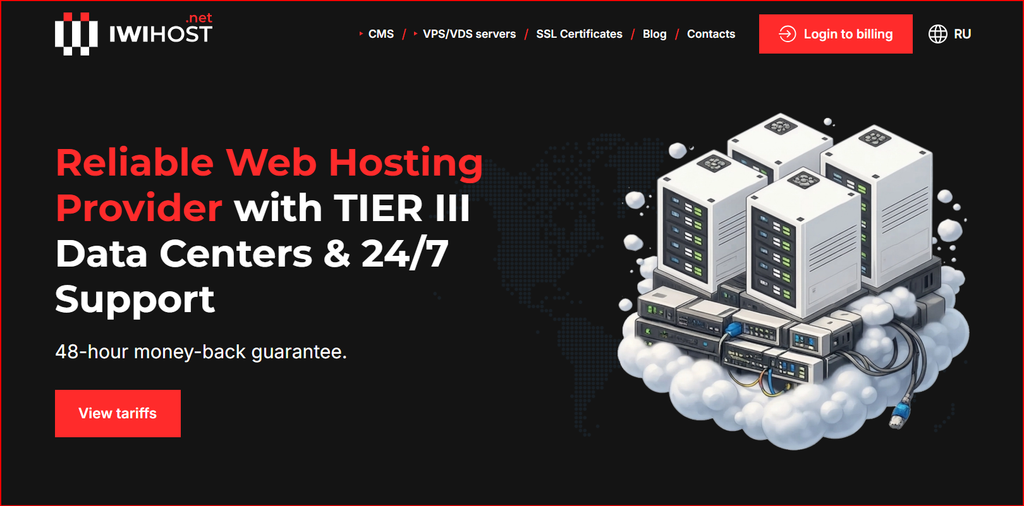
IWIHOST website screenshot used as visual context for this review.
The build goal: a fast, simple web stack
I reviewed IWIHOST as if I were building a small production web stack from scratch: Linux, a reverse proxy or web server, an application runtime, a database, backups and monitoring. The provider publishes KVM virtualization, NVMe storage, ECC memory, multiple locations and a broad plan ladder. Rather than asking which plan has the biggest numbers, I mapped the stack to the resources it actually needs and identified the upgrade points that matter for a real site. I did not run an independent long-duration CPU, disk or network benchmark in this article, so I treat throughput and infrastructure claims as provider-published specifications rather than measured results.
| Build philosophy: Start with enough RAM for the operating system and database, keep the stack observable, and scale before memory pressure or storage growth becomes an emergency. |
The VPS ladder and current pricing snapshot
IWIHOST starts with an inexpensive 1 GB plan and scales quickly into multi-vCPU, double-digit-RAM configurations. The entry tier is attractive for a lightweight server, but I would not treat 1 GB as a universal production baseline. A database-backed application, control panel, monitoring agent and backup process can consume that memory surprisingly quickly. The table below shows the published snapshot used for this review; live pricing and available locations should be confirmed before purchase.
| Plan | Monthly price | vCPU | RAM | NVMe | Port |
|---|---|---|---|---|---|
| Core | $4.99 | 1 | 1 GB | 10 GB | 500 Mbit/s |
| Shield | $6.99 | 2 | 2 GB | 30 GB | 500 Mbit/s |
| Stronghold | $21.99 | 6 | 12 GB | 90 GB | 500 Mbit/s |
| Fortress | $29.99 | 8 | 16 GB | 150 GB | 500 Mbit/s |
| Titan | $44.99 | 12 | 24 GB | 200 GB | 500 Mbit/s |
For a second perspective on the provider and its global VPS positioning, see the HostAndProxy IWIHOST review.
Stage 1: choosing a location before choosing a plan
I would choose the data-center region first because latency affects every request. If most visitors are in Western Europe, a nearby European location is usually more valuable than an extra vCPU on a distant server. If the application serves users in several regions, I would place the primary server near the core audience and use a CDN for static assets before buying multiple VPS instances. The provider advertises a wide geographic footprint, which is useful for buyers who want regional deployment options, but the exact city and stock should be checked at order time.
Stage 2: Core vs Shield for the first deployment
Core can run a lean Linux server, static site, tiny API, VPN endpoint or development environment. Its 1 GB RAM and 10 GB NVMe are the constraints I would watch immediately. For a database-backed production site, Shield is a safer starting point because 2 GB RAM and 30 GB NVMe leave more space for the operating system, web server, runtime, database, logs and updates. A few dollars saved on Core can disappear quickly if the administrator spends time recovering from memory pressure.
My first deployment would use a minimal supported Linux distribution, SSH keys instead of password-only login, a host firewall, automatic security updates, a reverse proxy such as Nginx or Caddy, and a basic monitoring agent. I would also configure off-server backups from day one. NVMe storage is useful for database and application responsiveness, but fast local storage is not a backup strategy.
Stage 3: building the application layer
For WordPress, I would keep the stack small: Nginx, PHP-FPM, MariaDB or MySQL, object/page caching where appropriate, and a scheduled backup job. For a Node.js or Python API, I would run the application behind a reverse proxy and use a process manager or systemd for restarts. Containers are reasonable once the server has enough RAM, but on 1-2 GB plans I prefer fewer abstraction layers. The goal is predictable resource use, not the most fashionable architecture.
Stage 4: database and storage planning
The published NVMe capacities scale with the plan, and that is important because database growth is often more predictable than CPU growth. I would monitor database size, binary logs, application uploads and system logs separately. If disk usage reaches roughly 70-75% and continues to climb, I would plan the next step rather than waiting for an emergency. Stronghold, with 12 GB RAM and 90 GB NVMe, is a materially different class from the two entry plans and can support heavier databases, multiple services or larger application caches.
Stage 5: moving from a small site to production
The upgrade trigger should be evidence, not anxiety. I would watch memory pressure, sustained CPU load, disk latency, database query time, swap activity and backup duration. If a site repeatedly exhausts RAM, moving to a larger plan is usually cleaner than micro-optimizing every daemon. If storage growth is the issue, choose the next tier based on capacity headroom. If latency is regional, a bigger server may not help at all; the fix may be location or CDN strategy.
Support and operational expectations
IWIHOST markets 24/7 support and relatively fast response targets, but unmanaged VPS buyers should still assume responsibility for the operating system, application security, patches and backups unless a managed service is explicitly purchased. I would test support early with a legitimate pre-sales or configuration question and keep records of the response. That tells me more about the support workflow than waiting for the first outage.
What I liked
- KVM virtualization provides a familiar VPS model with isolated virtual machines.
- NVMe storage and ECC memory are appropriate building blocks for modern web workloads.
- The plan ladder provides clear upgrade steps instead of forcing a jump from tiny VPS to dedicated hardware.
- Multiple geographic locations help buyers place workloads closer to their audience.
- The $4.99 entry point is useful for testing, labs and very small services.
What I would verify before deployment
- Exact location availability and any difference in plan price by region.
- Backup/snapshot options and whether restoration is self-service or support-assisted.
- DDoS protection scope and any service-specific limits.
- Upgrade procedure: in-place resize versus migration to a new VM.
- Whether the selected plan includes enough RAM and NVMe headroom for at least the next several months.
Final verdict
IWIHOST is most compelling when viewed as a scalable KVM/NVMe platform rather than simply a cheap VPS. Core is a good lab or minimal-service tier, Shield is the more practical small-production baseline, and Stronghold or above makes sense once the workload includes larger databases, multiple containers or several business services. The wide location choice is useful, but I would still select the region based on users first and the plan size second. For a disciplined Linux deployment with external backups and monitoring, the lineup gives a clear path from a tiny server to a more serious web stack.
FAQ
Is the $4.99 Core plan enough for WordPress?
It can run a very small, optimized site, but 1 GB RAM and 10 GB NVMe leave limited headroom. Shield is a safer starting point for most production WordPress deployments.
Does IWIHOST use KVM?
The provider publishes KVM virtualization for its VPS/VDS offerings.
Why does NVMe matter?
NVMe can reduce storage latency for databases, application files and package operations compared with slower storage, although real workload performance also depends on host load and configuration.
Which plan is a practical production baseline?
For a small database-backed site or API, I would start evaluating Shield or higher rather than assuming the smallest plan is enough.
What should I configure first?
SSH keys, firewall rules, updates, monitoring and off-server backups should be part of the initial deployment, not added after a problem.
Official site: IWIHOST official website
