

For this review I treated ProxyLine as infrastructure rather than a generic “buy proxy” service. I focused on three jobs that put different pressure on an IP address: browser automation, SEO/localization tools and public-data collection. That approach makes the trade-offs between shared IPv4, individual IPv4 and IPv6 much easier to see.
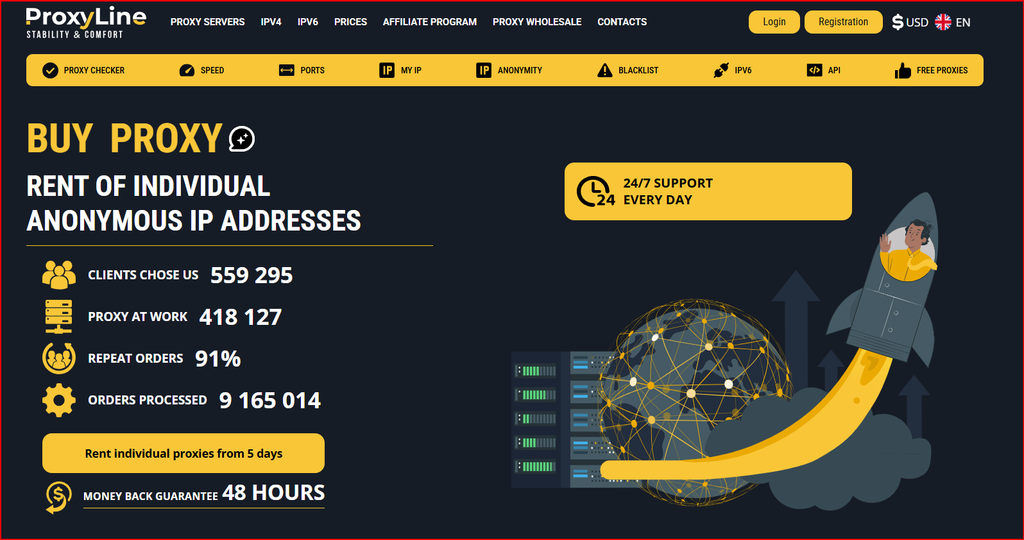
ProxyLine website screenshot used as visual context for this review.
How I structured this review
Instead of treating ProxyLine as one generic proxy product, I split the evaluation into three workflows that stress different requirements: browser automation, SEO tools and public-data collection. The goal was to see which proxy type fits each workflow, where the low headline price is useful, and where paying for a dedicated IPv4 address is the more sensible operational choice. I reviewed the ordering logic, protocol options, rental terms, published checker tools and the way shared, individual IPv4, IPv6 and specialized MTProto options fit into day-to-day work. I did not run a controlled long-duration latency or uptime benchmark, so performance numbers should be treated as provider-published rather than independently measured.
| Review method: Start with one real task, choose the smallest appropriate proxy type, validate location and protocol, then scale only after the workflow is stable. |
Pricing snapshot: cheap only matters when the proxy type is right
ProxyLine is attractive because the entry prices are low enough to make small trials practical. The important distinction is between shared IPv4, individual IPv4 and IPv6. Shared IPv4 is the budget option, but another customer may use the same exit address. Individual IPv4 costs more and is usually a better fit for persistent browser profiles, account sessions and automation that benefits from a stable exclusive IP. IPv6 is inexpensive but should be tested against the exact destinations because support is not universal. Pricing changes with country, quantity and rental term, so the live checkout should be treated as the final source.
| Plan / type | Pricing snapshot | Rental term | Best fit |
|---|---|---|---|
| IPv4 Shared | about $0.58-$0.99 per IP/month | 5-360 days | Low-risk browsing, public-data tasks |
| Individual IPv4 | about $1.22-$1.77 per IP/month | 5-360 days | Automation, accounts, stable sessions |
| IPv6 | about $0.41-$0.51 per IP/month | 5-360 days | IPv6-compatible testing at low cost |
| MTProto / specialized | varies by location and term | varies | Compatible Telegram workflows |
For live inventory, country availability and order terms, I would check ProxyLine pricing and locations immediately before purchase because proxy stock and promotions can change.
Workflow 1: browser automation
Browser automation is where I would be most cautious about choosing purely by price. A browser profile often carries cookies, session history, language, timezone and account state, so the network identity should be just as consistent. My preferred starting point is individual IPv4 with one address assigned to one browser profile or one narrowly defined task. That makes troubleshooting easier: if a login challenge appears, I can separate the proxy variable from the browser fingerprint, cookies and application behavior. Shared proxies can still work for lightweight browsing, but I would avoid mixing unrelated automation jobs on the same exit address when session continuity matters.
The setup itself is straightforward in any tool that accepts HTTP(S) or SOCKS5 credentials. I would record the endpoint, authentication method, country, assigned profile, purchase date and expiration date in a simple inventory sheet. Before a profile touches a production account, I would confirm the exit IP and country in an independent checker, then open a neutral test site and verify that DNS and page loading behave normally. This small pre-flight routine is more valuable than running a large batch and discovering later that a profile was configured with the wrong country.
Workflow 2: SEO tools and local-result checks
SEO work has a different risk profile. Many tasks are read-only: checking localized search results, viewing language variants, validating redirects, confirming country-specific landing pages or testing how a site behaves from another region. For those jobs, the economics of shared IPv4 can make sense because the requirement is usually location diversity rather than exclusive identity. The key is to separate low-risk research from tasks that sign in to dashboards or maintain persistent sessions. I would use cheaper shared addresses for neutral SERP or localization work and reserve individual IPv4 for authenticated tools where a stable source address reduces friction.
I also like the idea of keeping a control IP. If ten proxies are being used for regional checks, one known-good reference address makes it easier to distinguish a destination outage from a proxy-specific problem. A failure log should capture IP, country, target domain, timestamp, HTTP result and whether a retry through the control route succeeded. That turns proxy use into a reproducible SEO workflow instead of ad-hoc browsing.
Workflow 3: data collection and monitoring
For public-data collection, the most important variables are destination rules, request rate, concurrency and how cleanly the team manages errors. A proxy does not make aggressive collection safe or acceptable; it simply changes the network path. I would use conservative request rates, respect site terms and robots policies where applicable, and treat blocks as a signal to reduce or stop rather than to escalate automatically. Shared IPv4 can be economical for lightweight collection, while individual IPv4 provides clearer responsibility and more predictable session behavior for business-critical monitoring.
SOCKS5 support is useful when the application needs general TCP connectivity beyond a simple HTTP proxy, while HTTP(S) remains convenient for browsers and common web tooling. The operational improvement is to standardize one configuration per workflow. If every script uses different timeouts, DNS handling and retry logic, the team cannot tell whether failures come from the proxy network or its own software.
What I liked
- Low entry pricing makes five-day or small-quantity validation practical before a larger commitment.
- Separate shared IPv4, individual IPv4 and IPv6 options let buyers match cost to the actual risk level of the task.
- HTTP(S) and SOCKS5 compatibility covers the majority of browser, SEO and automation workflows.
- Checker and utility tools encourage buyers to validate an endpoint before assigning it to a real job.
- Longer rental terms can reduce renewal overhead once a workflow has proved stable.
What I would verify before scaling
- Exact country and subnet availability for the destinations that matter most.
- Replacement/refund conditions and what qualifies as a technical failure.
- Whether the target websites accept IPv6 before buying a large IPv6 allocation.
- How many concurrent browser profiles or workers the application can manage safely.
- Whether a dedicated IPv4 tier saves enough operational time to justify the higher unit price.
Who ProxyLine fits best
ProxyLine makes the most sense for buyers who want inexpensive fixed proxies and are willing to choose the proxy class deliberately. It is particularly easy to justify for regional SEO checks, browser automation with individual IPv4, QA, price or content monitoring and small-to-medium public-data workflows. I would be more cautious for teams that need residential or mobile IP characteristics, highly specialized compliance guarantees or a managed scraping platform rather than raw proxy access.
Final assessment
The strongest part of ProxyLine is not one headline feature; it is the ability to start cheaply and move to a more controlled proxy type when the workflow demands it. In my review framework, individual IPv4 is the safer default for browser automation and persistent sessions, shared IPv4 is the value tier for neutral research, and IPv6 is a cost-saving option only after compatibility is confirmed. The service is most useful when the buyer treats proxy selection as an infrastructure decision instead of simply choosing the lowest price.
FAQ
Is ProxyLine good for browser automation?
It can be a practical fit, especially with individual IPv4 addresses. I would bind one proxy to one browser profile and validate the exit location before using the profile for a persistent session.
Should I choose shared or individual IPv4?
Shared IPv4 is cheaper and can work well for low-risk research. Individual IPv4 is better when session consistency, exclusivity or account stability matters.
Can I use IPv6 to save money?
Yes, but only if the websites and applications in the workflow support IPv6 reliably. Test the target list first.
Does ProxyLine support SOCKS5?
The provider markets HTTP(S) and SOCKS5-oriented proxy access. Confirm the exact protocol support for the plan you order.
What should I test during the first day?
Confirm authentication, exit IP, country, target-site compatibility, session persistence and the replacement process before purchasing a larger quantity.
Official site: ProxyLine official website
